
The Ledger - Lakeland, Florida
USA TODAY Co.News & Magazines
3.642.00 Reviews
- Version
- 8.10.3
- Installs
- 10.00K
- Age Rating
- Everyone
Screenshots
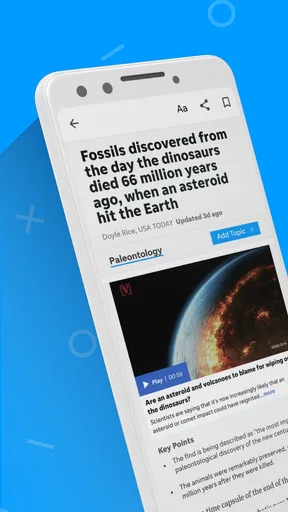
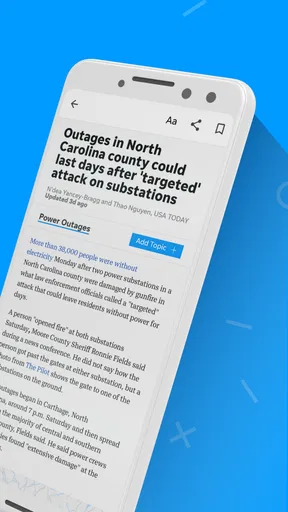
Our Review of The Ledger - Lakeland, Florida
 Analysis by Appyee
I approached The Ledger - Lakeland, Florida as a local news reader rather than as another general headline app, and that distinction matters. Its purpose is to bring Lakeland-area reporting into the same place as broader news, photography, and video. The app is published by USA TODAY Co., and it sits in the News & Magazines category as a free download for everyone. My first impression was that it makes the most sense for readers who want local awareness without giving up the convenience of a familiar national news feed.
The experience is not about discovering an endless collection of clever tools. It is about building a dependable reading habit. I found the app most useful when I opened it with a clear purpose: scan what is happening around Lakeland, read one or two substantial stories, then move on. Used that way, it can become a practical part of a morning routine. Used as a replacement for every source of news, it feels more limited.
How I used the app in a normal news routine
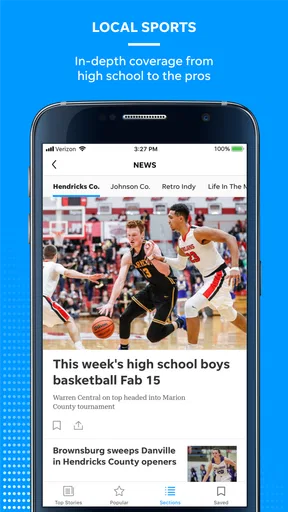
My baseline workflow was simple. I opened the latest feed, looked first for local stories that could affect daily plans, and then checked the broader coverage. That order helped me avoid getting lost in national headlines before seeing what was relevant to the area. The app’s mix of written reporting, photography, and video also meant I could choose how much time to spend. A quick scan worked when I was busy, while a longer session gave the visual material more room to add context.
For someone living in or near Lakeland, this local focus is the main reason to try it. A general news application may offer stronger breadth, but it can bury nearby reporting beneath national politics, international events, and trending topics. A newspaper website can provide similar local value, but the dedicated app is more convenient when I want a repeatable mobile routine rather than a browser tab I may forget to revisit.
A realistic everyday use case is a weekday morning before work. I would check the local headlines for developments that might affect traffic, public activity, schools, or community plans, then glance at the national section while having coffee. Later, I could return for a video or a photo-led story instead of reading everything in one sitting. That split-session approach is more comfortable than trying to consume the entire feed at once, especially when the app is being used as a quick information check rather than entertainment.
The strongest habit is to decide what “done” means before opening it. I usually consider a session complete after checking the newest local items, reading the stories that directly affect me, and scanning the wider headlines. Without that boundary, any news feed can become a loop of refreshing and opening one more article. The Ledger works better when I treat it as a briefing tool, not as an infinite source of distraction.
What the presentation does well
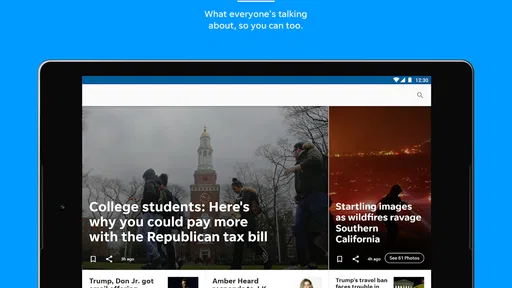
The combination of local and national reporting gives the app a useful middle ground. A purely local source may leave me looking elsewhere for context, while a large national app may give me very little sense of what is happening nearby. Here, I can begin with Lakeland coverage and then widen the view without changing apps. That continuity is especially helpful for readers who want local relevance but still follow major stories beyond Florida.
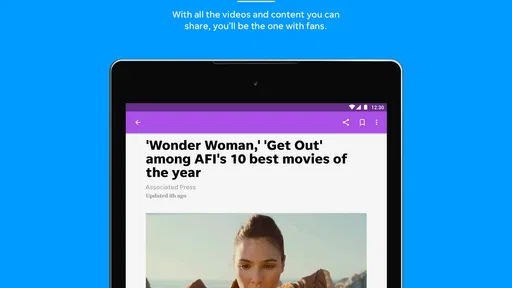
Photography is another meaningful part of the experience rather than a decorative extra. Strong images can make a local story easier to understand, particularly when the subject involves a place, an event, or a visible change in the community. Video is useful when a short visual explanation communicates more quickly than several paragraphs. I did not treat those formats as replacements for reading, but they gave me more ways to absorb a story depending on the time available.
There is also a practical advantage to keeping local and national material together: it reduces the number of separate news habits I need to maintain. Instead of checking a local source, then a national source, then a visual news feed, I can make one app the starting point. That does not make it a complete news diet, but it makes the first step easier and more consistent.
Settings and choices worth checking early
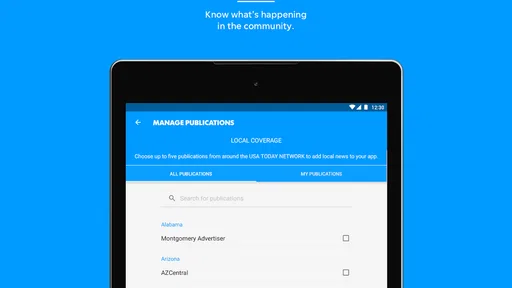
I recommend spending a few minutes examining the app’s available preferences before settling into a routine. News apps can feel noisy when every possible alert or content stream is treated as equally important. The useful principle is to keep only the interruptions that genuinely help. If a notification is not likely to change what I do today, I would rather discover that story during a planned reading session.
It is also worth deciding whether the app is mainly for headlines, full articles, or visual updates. I prefer using it for a quick local scan first and deeper reading second. That choice affects how I move through the feed: I do not open every item immediately, and I do not let an interesting national headline push local coverage completely out of view.
Readers who use the app around other people should also think about when video is appropriate. Visual content can be useful, but automatically moving from a quiet reading session into video is not always convenient in public places or at work. A deliberate approach—read first, watch when ready—keeps the app from taking control of the session.
The app is free to download, but it includes in-app purchases priced from $14.99 to $69.99 per item. That is an important point for anyone who assumes that a free download means every part of the experience has no cost. I would review any purchase prompt carefully and decide whether the paid option matches how often I expect to use the service. Casual readers may prefer to stay with the no-cost starting point, while frequent readers should understand the purchase choice before committing.
The age rating is Everyone, which fits the app’s role as a general news product. Even so, news topics can vary in tone and subject, so parents or younger readers may still want to decide when and how the app is used. The rating describes general access, not whether every individual story will suit every reader.
Faster patterns for repeat readers
My fastest useful pattern was a three-pass scan. First, I looked only at local headlines. Second, I selected the stories with immediate practical value. Third, I checked national coverage for anything important enough to follow later. This prevented me from spending my limited morning time on a visually attractive but less relevant story before seeing the information I actually needed.
Another effective pattern is to separate discovery from reading. On the first pass, I identified items worth opening without trying to finish them all. On the second pass, I read the selected articles with more attention. This is particularly helpful when the feed includes text, photographs, and video together, because each format invites a different pace. The result felt less rushed and made it easier to remember the stories I had chosen.
I also found value in returning at a fixed point later in the day. Local news can develop after the morning session, but checking constantly is tiring. A second visit after work gives the app a clear role: morning orientation and evening update. That repeatable schedule is more sustainable than relying on random notifications to decide when I should pay attention.
For readers who want to share a story, I would read beyond the headline before passing it along. Local headlines can be highly relevant but still lack the context needed for a fair summary. The app’s combination of text, images, and video makes it tempting to share quickly, yet a short pause to understand the full item is a better habit. This is one of the small differences between using the app as a serious local briefing and using it as a stream of attention-grabbing cards.
The app’s current version is 8.10.3, and the minimum operating system is Android 8.0. That makes it accessible to people using older Android devices, although the actual feel of the app will still depend on the phone’s screen, speed, and available storage. On a smaller or older handset, I would be more inclined to use short reading sessions and avoid treating the visual material as the main attraction.
Where the app reaches its limits
The average rating is 3.6 from around 144 ratings, with 42 written reviews, so the public response is mixed rather than overwhelmingly enthusiastic. I would read that as a reason to set realistic expectations. The app has a clear purpose and useful local focus, but it may not satisfy people looking for a highly customizable news dashboard, a broad international briefing, or a completely frictionless experience.
Its local identity is both its advantage and its boundary. If Lakeland-area reporting is what I need, the focus feels purposeful. If I want deep specialization in business, technology, science, or international affairs, a larger publication or dedicated specialist app will probably serve me better. The national coverage adds range, but it does not turn this into a universal replacement for every other source.
I would also avoid assuming that a news app can provide perfect balance simply because it combines local and national stories. I still prefer comparing important claims with another reputable source, especially when a story could influence a major decision. The Ledger is a useful starting point and a convenient local window; it is not a reason to stop thinking critically or checking context elsewhere.
The purchase structure may be another point of friction. A person who only wants occasional headlines may find paid options unnecessary, while a dedicated reader may need to decide whether the additional cost is worthwhile. Since the app is free to install but offers in-app purchases, I would not make a purchase during the first session. I would first establish whether the local coverage fits my routine and whether I return often enough to justify spending money.
There is also a trade-off between rich presentation and speed. Photography and video make stories more engaging, but readers who want the lightest possible headline reader may prefer a simpler text-first alternative. On a strong connection and a modern phone, that richness can be welcome. On an older device or during a rushed commute, the extra visual layer may feel less important than getting the essential information quickly.
Who should choose it, and who should look elsewhere
I would recommend it to Lakeland residents, people who recently moved to the area, and anyone who wants local reporting to be the first stop in a daily news routine. It is also a reasonable choice for readers who appreciate seeing a local story supported by photography or video rather than relying only on short text headlines. The ability to move from nearby events to national news without changing apps is its most practical strength.
I would be more cautious about recommending it to someone who lives far from Lakeland and has no personal connection to the region. The app’s value is tied closely to that local perspective. A broad national news application would likely be more useful for a reader whose main interests are politics, world events, markets, or specialized subjects.
It may also be the wrong fit for people who want an aggressively personalized feed with extensive controls over every topic. The Ledger works best when I accept its editorial focus and use a simple routine around it. If I want to construct a detailed news system from dozens of topics and sources, an alternative aggregator may offer more control, even if it provides less local identity.
My verdict after building a steady habit
After using it as a local-first news reader, I see The Ledger - Lakeland, Florida as a focused companion rather than an all-purpose news replacement. Its best qualities are the Lakeland emphasis, the convenient transition to national coverage, and the mix of written, photographic, and video reporting. Those features make it easy to build a short morning briefing and return later for deeper stories.
The key is to use it intentionally. Check local headlines before broader coverage, limit notifications to what you truly need, separate quick discovery from careful reading, and delay any in-app purchase until you know the app belongs in your routine. Those habits bring out its strengths and reduce the common problems of news overload.
My final recommendation is straightforward: try it if Lakeland news is central to your day and you value a visual, mobile-friendly presentation. Keep another source available for specialized or wider coverage, and choose a different app if your priority is maximum personalization or a purely national perspective. For the right reader, it is a convenient local briefing with enough broader material to make one daily news stop feel worthwhile.
Verdict
Strengths of The Ledger - Lakeland, Florida
- Provides local news and updates focused on Lakeland, Florida.
- Covers community events, schools, sports, and regional developments.
- Offers convenient access to articles from a mobile device.
- Helps residents follow local issues and public announcements.
- Useful for readers seeking Florida-focused reporting beyond national news.
Limitations of The Ledger - Lakeland, Florida
- Coverage may be less useful for readers outside the Lakeland area.
- Some articles or features may require a subscription or account.
- Advertising can take up space and affect the reading experience.
- News availability depends on the publication schedule and local events.
- App performance and content access may vary with internet connectivity.
Other Releases by USA TODAY Co.
View All
IndyStar: Indianapolis Star
News & Magazines2.7

AZ Central: Arizona Republic
News & Magazines2.5

The Detroit News: Local News
News & Magazines3.1

Detroit Free Press: Freep
News & Magazines3.0
Similar Picks in This Category
View All
Google News - Daily Headlines
Google LLC4.0

X
X Corp.4.8

Flipboard:Your Social Magazine
Flipboard3.4

Opera News: breaking & local
Opera4.5

Hindi News by Dainik Bhaskar
Dainik Bhaskar Group4.0

Way2News Daily News App
Way2News ( Formerly Way2SMS )4.6
Frequently Asked Questions
What is The Ledger - Lakeland, Florida app used for?
The Ledger app is designed to give readers convenient access to local news and information from Lakeland, Polk County, and surrounding Central Florida communities. It typically includes breaking news, local reporting, sports coverage, weather updates, opinion pieces, entertainment, and other stories published by The Ledger. It is useful for readers who want regional coverage in one mobile location.
Is The Ledger app free to download and use?
Downloading The Ledger app is generally free on supported Android and iOS devices, but some articles or features may be limited by a subscription or digital-access plan. The exact arrangement can vary, so users should review the current information shown in the app store and inside the application. Free access may include selected stories, while unlimited reading can require payment.
Does The Ledger app require an account or subscription?
You may be able to open the app and read certain content without creating an account, but an account can be required for personalized features, saved articles, subscription management, or access to a larger selection of stories. If The Ledger places articles behind a digital paywall, users will need an eligible subscription or access plan to continue reading restricted content.
What type of local content can I find in The Ledger app?
The app focuses primarily on news relevant to Lakeland and the wider Polk County area. Depending on the current editorial lineup, readers may find coverage of community events, local government, education, crime, business, sports, traffic, weather, entertainment, and public-interest issues. Content availability can change throughout the day as new reports and updates are published.
Is The Ledger - Lakeland, Florida app worth downloading?
The app is worth considering if you live in Lakeland, visit Polk County, or want regular updates about Central Florida communities. Its main advantage is the convenience of receiving regional reporting from a familiar local news source. However, users who only want occasional articles should check the access limits and subscription requirements before downloading, especially if they prefer completely free news apps.
